How to Compile Effects
This tutorial explains how to compile effects and load them onto the hardware platform.
Prerequisites
You must have the following installed and configured:
- Git and STM32CubeIDE.
- The Software_OSCAR_P01A01 or PENDA-Software repository cloned, with the workspace properly configured in STM32CubeIDE.
See: How to Create Your Workspace
Note: The rest of this tutorial will be carried out as an example on the OSCAR pedal and its software. For the PENDA pedal, the described actions are strictly identical, unless otherwise specified.
Compiling Effects
- Open STM32CubeIDE and select the
OSCAR_Workspace. - We will now compile the Delay effect using a configuration compatible with the Loader.
- Select the
Software_OSCAR_P01_A01orPENDA-Softwareproject. - In the toolbar, click the small downward arrow located next to the hammer icon (Build/Configure). This will open the list of build configurations.
- Click on
_Delay4Loaderin the list.
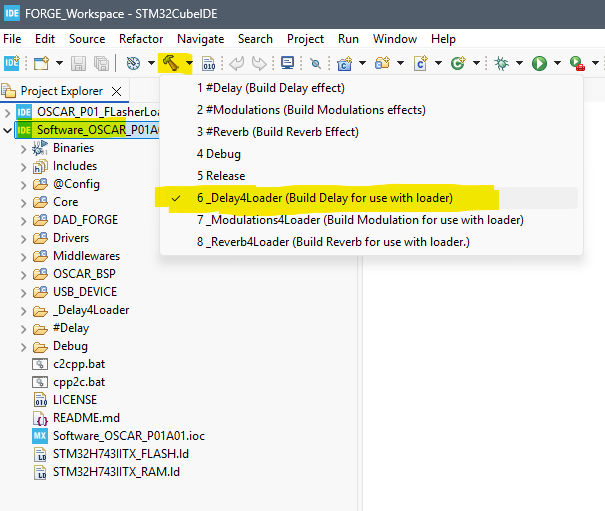
The Delay effect is now compiling.
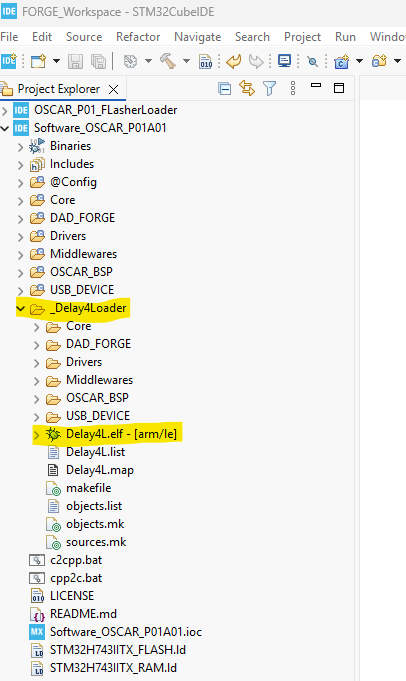
- If the compilation completes successfully, a directory named
_Delay4Loadershould appear inside your project structure. - This directory contains the generated executable file:
Delay.elf.
You can compile the other effects in the same manner using these build configurations:
_Modulations4Loader_Reverb4Loader
Understanding Build Configurations
#xxx (e.g., #Delay)
- Use configurations starting with #xxx (e.g.,
#Delay) to generate standalone executables that are stored in the internal flash memory of the STM32H743.
xxx4Loader (e.g., Delay4Loader)
- Configurations ending with 4Loader (e.g.,
Delay4Loader) produce executables designed for storage in the board’s QSPI flash memory, which are then launched by the bootloader.
Debug and Release
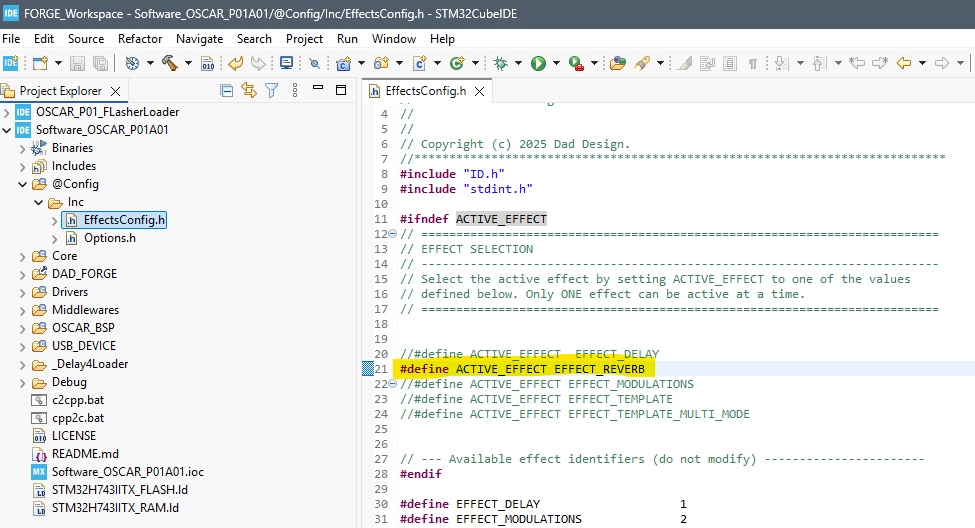
For both Debug and Release configurations, the compiled effect is determined by the value assigned to the ACTIVE_EFFECT constant in the configuration file: Software_OSCAR_P01A01/@Config/EffectsConfig.h.
- The Debug configuration is used to debug the software directly within the STM32CubeIDE environment.
- The Release configuration produces a standalone executable (similar to the
#xxxconfigurations).